How do I assign players to a team, and then specify the players for each game?
Hi, assigning players involves two separate steps: creating the team’s roster within a project, then selecting the lineup for each match.
1. Create the team’s project roster
First, create the players in the Persons directory. Then open the relevant project and its Project Participants list.
For the team concerned, click the member count in the Members column. This opens its roster. Use New to select a person, set the person type to Player, and optionally specify their position, shirt number and membership validity dates.
The roster belongs to the team’s participation in that particular project, so it can differ between seasons.
2. Select the lineup for a match
Open the project’s Schedule, find the match, and click its Manage lineup icon.
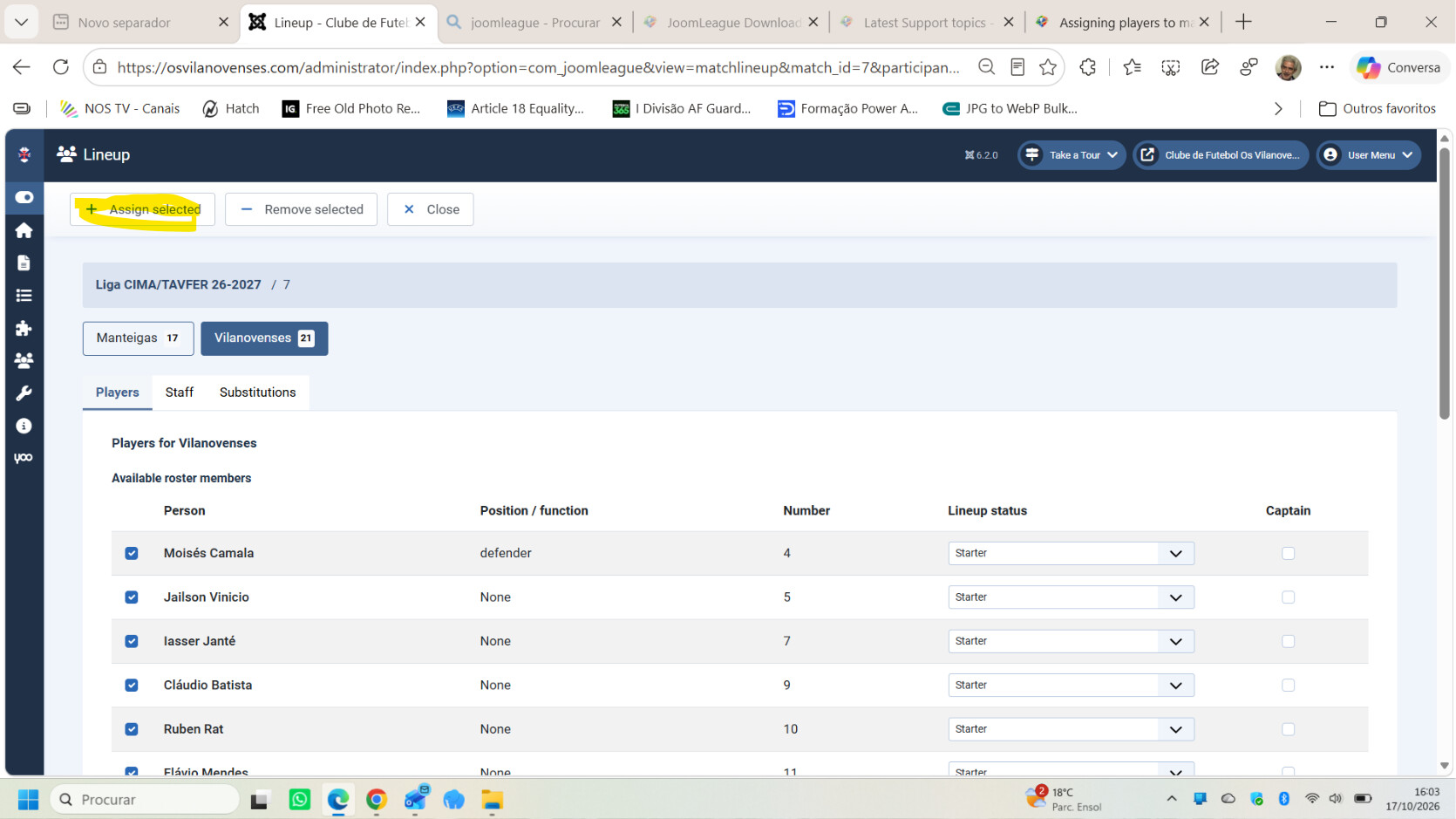
Select the team and the Players tab. In the available-members list, select the players, choose their lineup status, such as starter or substitute, and click Assign selected.
You can similarly nominate coaches and other team staff through the Staff tab.
If a player is missing from the available list, first check that they have been added to the roster of the correct team in the correct project.
Hello
Thank you for your response, which I sincerely appreciated.
Regarding point 1, the problem is solved. I didn’t realize that the Members column had the function of adding people and not just informing the number of people assigned. 
Regarding point 2, Lineup for a game, the problem remains: nothing happens when clicking the “Assign selected” button. I selected 11 players as “Starter” and 2 as “Substitute”.
I’m attaching an image for confirmation.
Thank you again, J Morais
Hi,
We have fixed the Assign selected button issue in the upcoming JoomLeague 6.2.0 RC2. The problem was in the form submission, not in your roster or the steps you followed.
We verified assigning 11 starters, 2 substitutes and team staff, as well as removing them from the lineup afterwards.
Once RC2 is released, please update JoomLeague and try the assignment again. Thank you for reporting the issue and providing the screenshot.